Pay by Link
Pay by link feature allows starting the payment dialog directly via link or scanning of QR code. In this scenario the payment dialog is displayed in full-screen mode.
Prerequisites
- Enable
paymentservice - Create a Point of sale and copy the Point of sale
ID
Possible Flows
Direct
- Tenant creates a new link
- Tenant displays the link somewhere
- Customer clicks on link
- Customer is shown the "classic" dialog in full-screen mode
Email
- Tenant triggers send of email to customer
- Customer receives email where he can either
- Click on link (button) in email
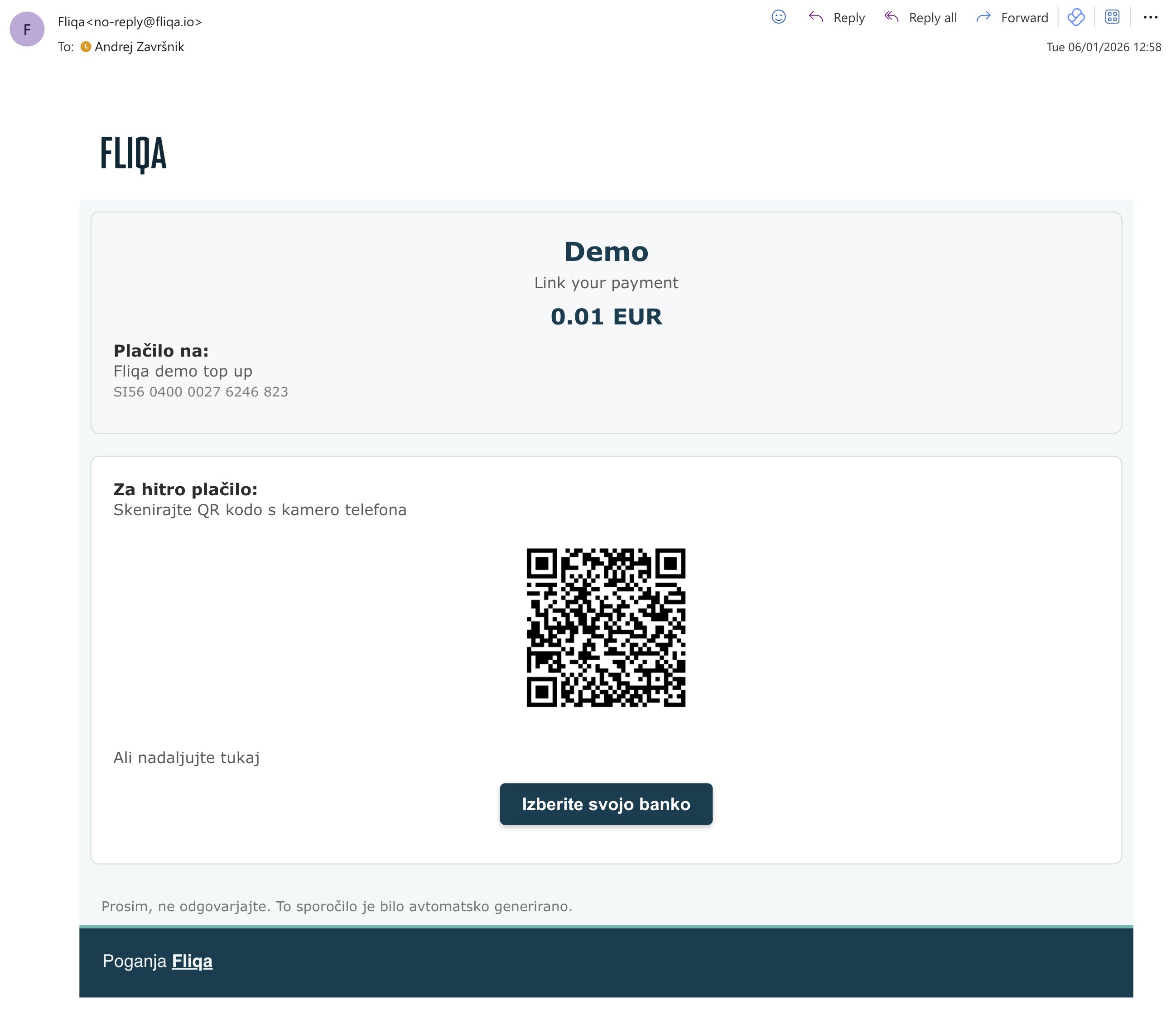
- Scan QR code displayed in email
- Customer is shown the "classic" dialog in full-screen mode
SMS
- Tenant triggers send of SMS to customer
- Customer receives SMS with link
- Customer clicks on link and is shown the "classic" dialog in full-screen mode
Link data
Each link holds following data:
- Enabled / Disabled - link can be manually disabled if needed
- Link name - will be used in payment dialog as name
- Link description - will be used in payment dialog as description
- Link type -
paymentfor a payment flow,accountInfofor an account info flow - Point of sale - link to point of sale
- Amount (fixed)
- Link reuse - single / multiple
- Link expiration - never or until
- Locale - to be used in email, SMS and dialog
- Country - preselect country for dialog
- Meta data - meta-data to be included in payment
Link states
A link can be in one of the following states:
| State | Description |
|---|---|
enabled | Link is active and can be used by customers |
disabled | Link has been manually disabled via API or portal |
locked | Single-use link payment is in progress. Link is temporarily locked from use |
consumed | Single-use link that was successfully paid — permanently blocked from further use |
expired | Link has passed its expires_on date |
Link URL and QR code
The URL for a pay-by-link follows this format:
{baseUrl}/{locale}/pay-by-link/{linkId}
A QR code for the link can be retrieved directly via the Service API by requesting
GET /service/payments/link/{linkId} with the Accept: image/png header.
This QR code is also included automatically in email notifications.
Expiration and reuse
If needed the Pay by link can have an expiration date (is valid until a day). Additionally, we can define if a link is single or multiple use.
Single-use links
A single-use link is designed for scenarios like invoice payments where a double payment must be prevented. The lifecycle works as follows:
- Customer opens the link — the link is temporarily locked to prevent concurrent payment attempts
- Payment succeeds → link transitions to
consumedstate permanently; any further attempt to use the link is rejected - Payment fails or is abandoned → the lock is released and the link becomes available again for a retry
This means a failed or abandoned payment does not consume the link — the customer can try again.
Once a single-use link reaches the consumed state it cannot be re-enabled.
Multiple-use links
Multiple-use links remain enabled after each successful payment and can be reused indefinitely, subject to the expiration date.
Meta data
Additionally, to hard coded metadata provided in the link data, tenant can inject metadata on the fly via query string parameters.
This can be done either:
- adding query string parameters to the existing / generated link
- calling GET link service API call with metadata query string parameters
Example:
https://.../{linkId}?data[customer_id]=123&data[order_id]=456
This approach enables for instance a single link (like a top-up link) to be used multiple times and the customer data is injected dynamically.
https://.../{linkId}?data[customer_id]={customer_id}
Send Link
Tenant can send out link(s) via Email or SMS to his end customers. This can be either done manually in Fliqa portal or via Service API call.
Pay by link example email
Billing
Each send out email / SMS is charged according to the billing settings.
Service API
Links are managed via the Service API which supports:
- Creating, updating, enabling and disabling links
- Sending email / SMS notifications to customers
- Retrieving link status and notification delivery status